




.webp)

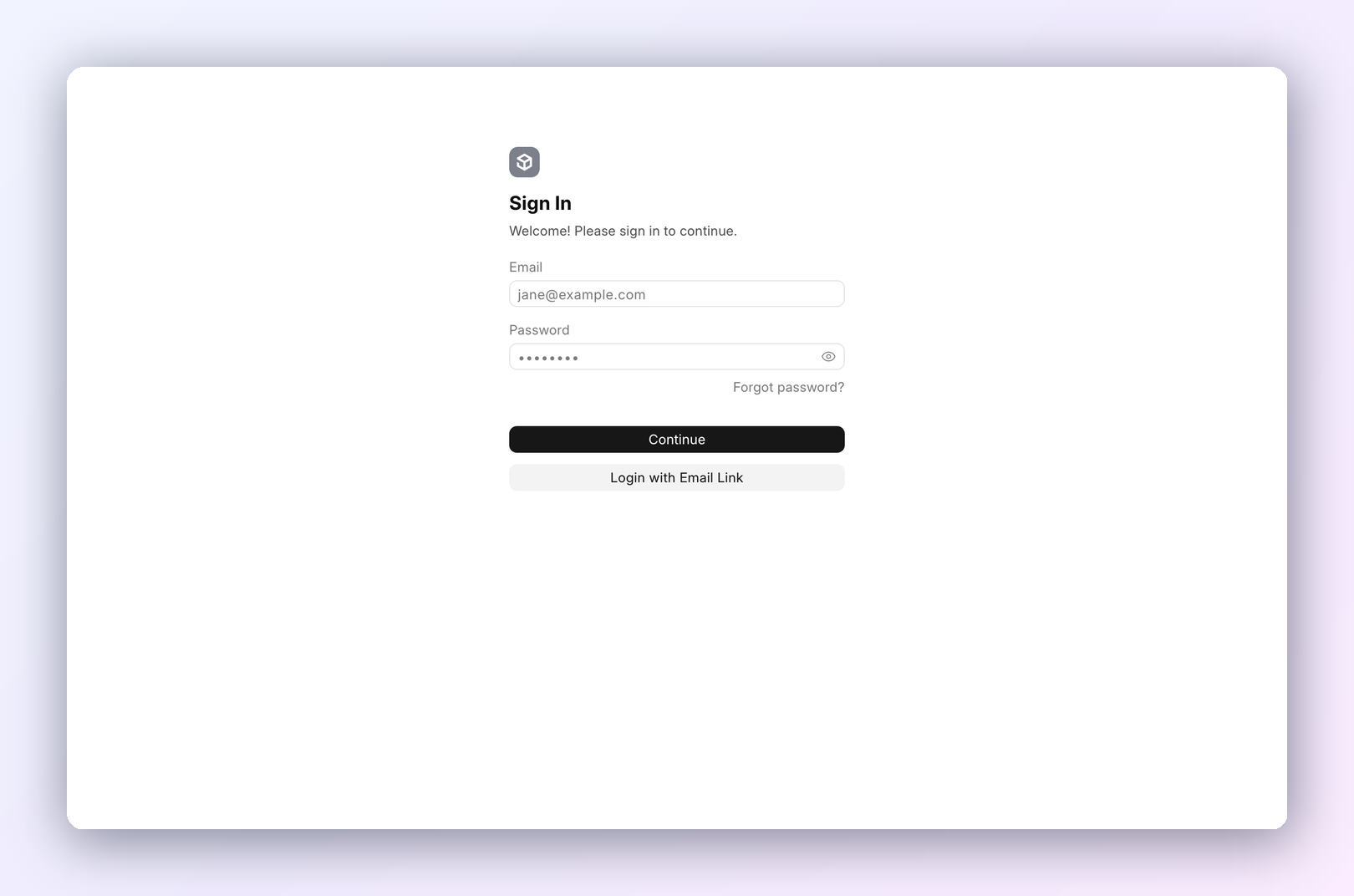
- Open the CrecheConnect link your admin gave you.
- Type your Email and Password.
- Press Continue.
You land on your feed.
Put CrecheConnect on your phone
You can add CrecheConnect to your home screen. It then opens like an app, full screen with its own icon.
Android. Use Chrome.
- Open CrecheConnect in Chrome and sign in.
- Press ⋮ at the top right.
- Press Install app. On some phones it says Add to Home screen.
- Press Install (or Add).
The CrecheConnect icon is now on your home screen and in your app list.
iPhone. Use Safari. It doesn't work in Chrome on iPhone.
- Open CrecheConnect in Safari and sign in.
- Press the Share button (the square with an arrow pointing up).
- Scroll down and press Add to Home Screen. If it isn't there, press Edit Actions at the bottom and add it.
- Keep the name CrecheConnect and press Add.
On iPhone, open it from the new icon and sign in once more. The app doesn't share the sign-in with Safari.
Trouble signing in
Forgot your password? Press Forgot password? and follow the email. No account yet? Ask your admin to add you.
Last updated 1 week ago
Was this helpful?