


.webp)
This page is for attendees. It explains how to register for an event on Buzz.
Register for an event
-
Open the event page and click Register.
-
Choose a ticket type for each attendee. Click Add Another Attendee to book for more people in one go.
-
Fill in each attendee's details, and any add-ons or extra questions the organiser asks for.
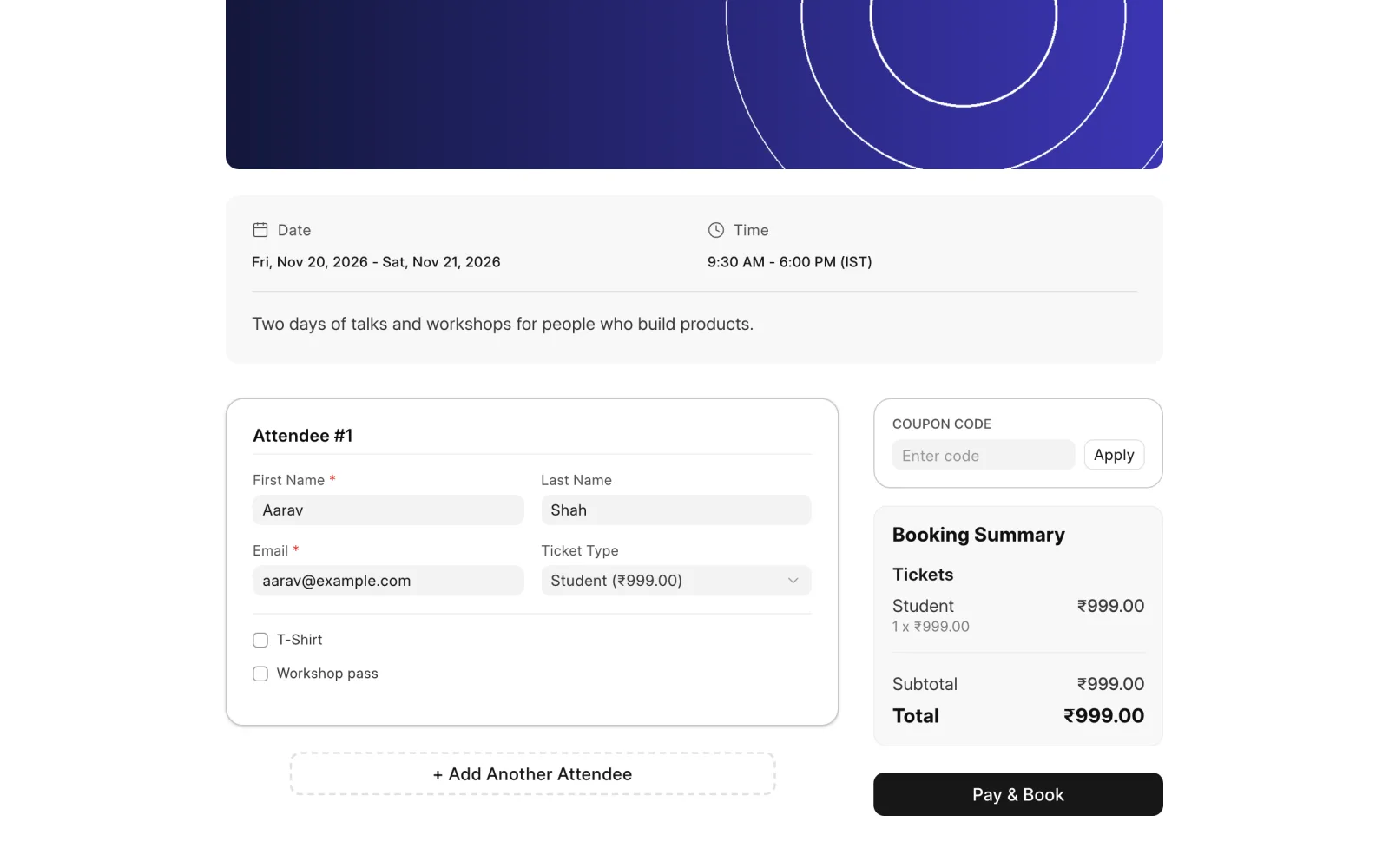
-
Have a coupon? Enter it under Coupon Code and click Apply.
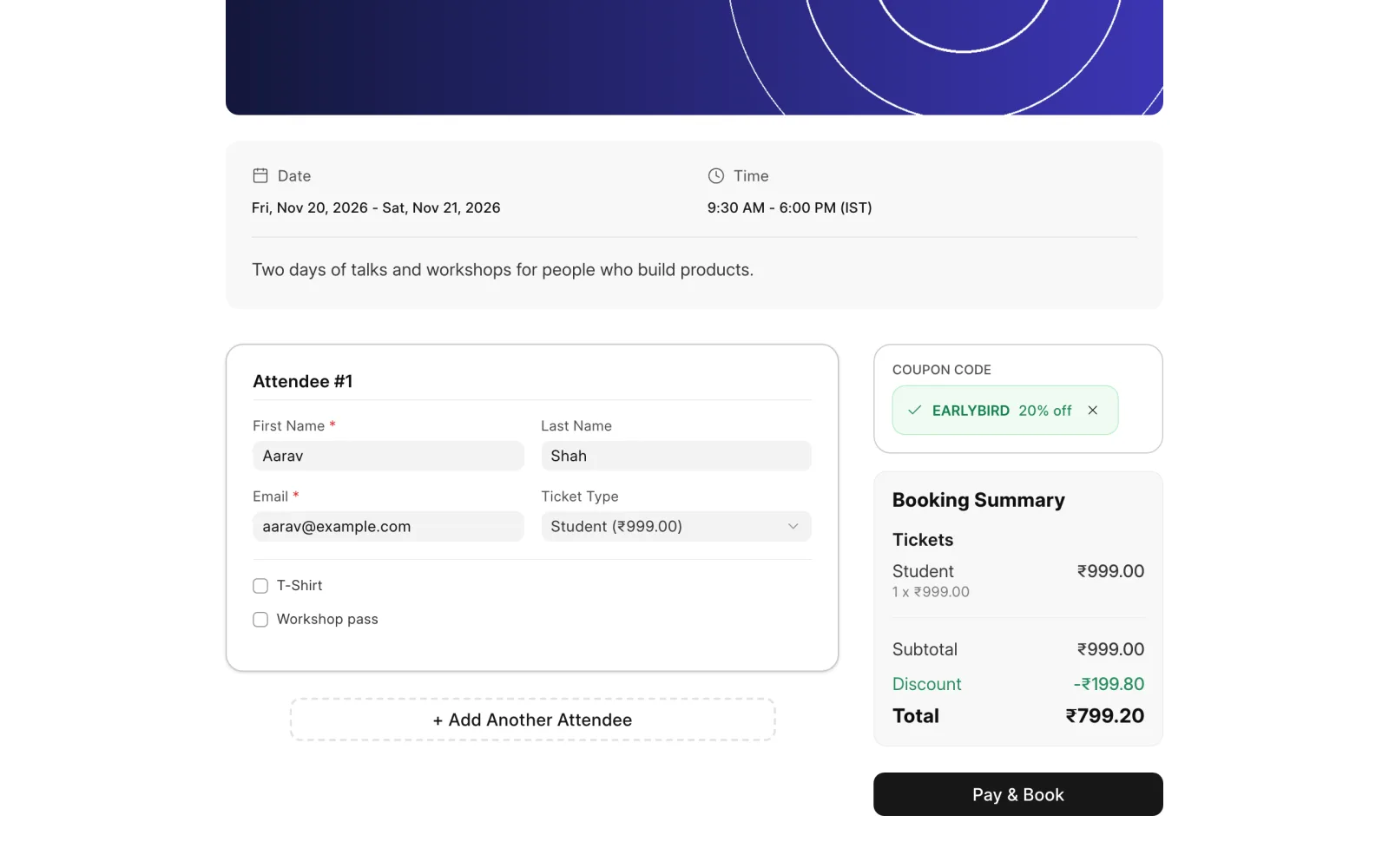
-
Check the total under Booking Summary, then click the button below it: Pay & Book for paid tickets, or Book Tickets or Register for free ones.
Paying
- Free tickets are confirmed straight away.
- Online payment opens the payment gateway. Your booking is confirmed once the payment goes through.
- Offline payment shows the organiser's payment instructions. You may need to upload a proof of payment. The organiser confirms your booking once they have checked it.
Registering without an account
Some events let you register as a guest, without a Buzz account. The organiser may ask you to confirm a 6-digit code sent to your email or phone first.
After you register
You get an email with your tickets and their QR codes. Buzz can also attach a calendar invite. For online events, the email includes the link to join.
If you see Registrations Closed, the organiser has stopped taking registrations, or the event has ended.