


.webp)
On the day, check attendees in by scanning the QR code on their ticket. The scanner runs in the browser on any phone or tablet with a camera.
Who can check people in
The scanner is for team members with the Frontdesk role. Anyone else sees Access Denied. To give a volunteer access, add them to your team as Frontdesk.
Check in an attendee
- On your phone, open
/b/check-inon your Buzz site and log in. - Pick the event.
- Allow camera access when the browser asks.
- Point the camera at the QR code on the attendee's ticket.
- Check the attendee, add-ons and payment details that appear, then tap Check In.
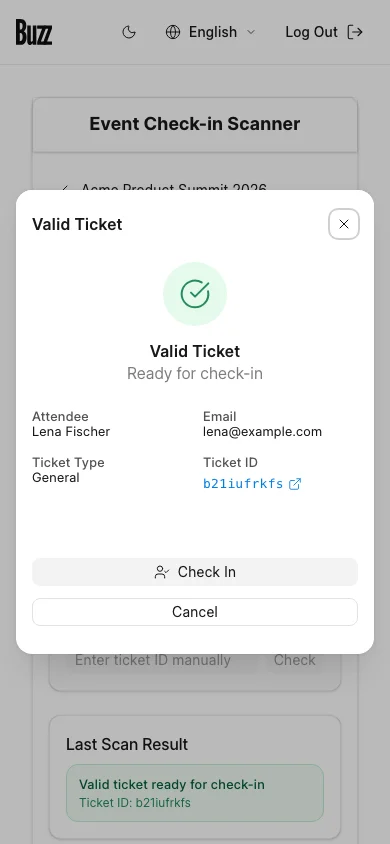
No camera, or a damaged QR code? Type the ticket ID under the scanner and tap Check.
Last Scan Result shows the outcome of the most recent scan.
When a ticket is refused
The scanner refuses a ticket that:
- Was cancelled.
- Is being refunded, or has been.
- Was already checked in today. The scanner shows when it was checked in.
For a multi-day event, an attendee can be checked in once on each day.
Where attendees find their QR code
Each ticket email has the QR code. Attendees can also open the ticket under My Tickets in their Buzz account. See Your bookings and tickets.
Last updated 1 week ago
Was this helpful?