


.webp)
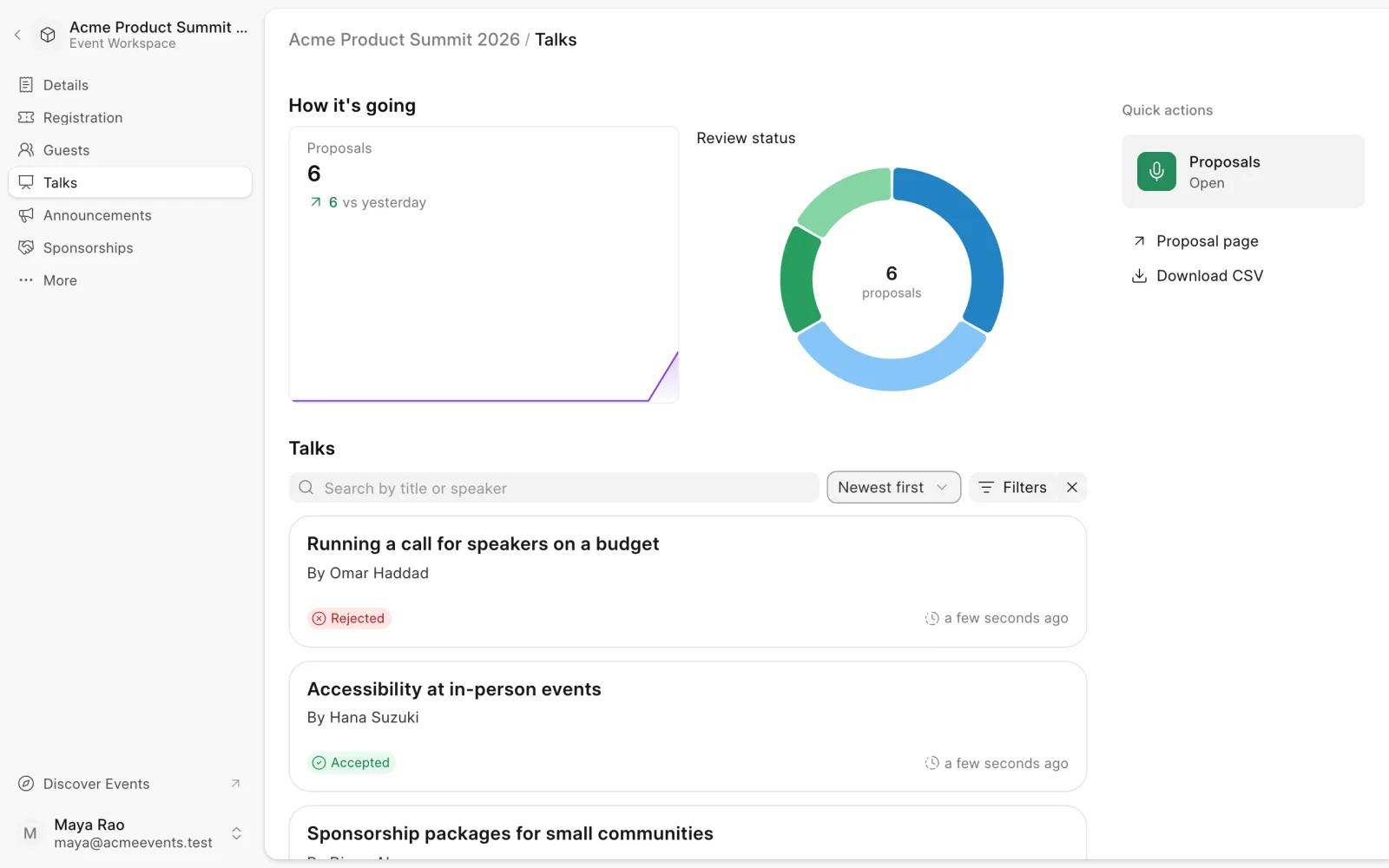
The Talks page collects talk proposals for your event and lets you review them. Open an event and choose Talks in the sidebar.
Open or close proposals
Under Quick actions, click the Proposals tile, then Open proposals or Close proposals. While proposals are open, speakers can submit talks from the proposal page. Click Proposal page to see it, or to copy its link for your call for speakers.
Every new event gets a proposal page at /b/<event-route>/propose-talk.
Review proposals
- Proposals shows submissions over time.
- Review status shows how many proposals are at each stage.
- The list below shows every proposal. Search by title or speaker, filter by Status, and sort by newest or oldest.
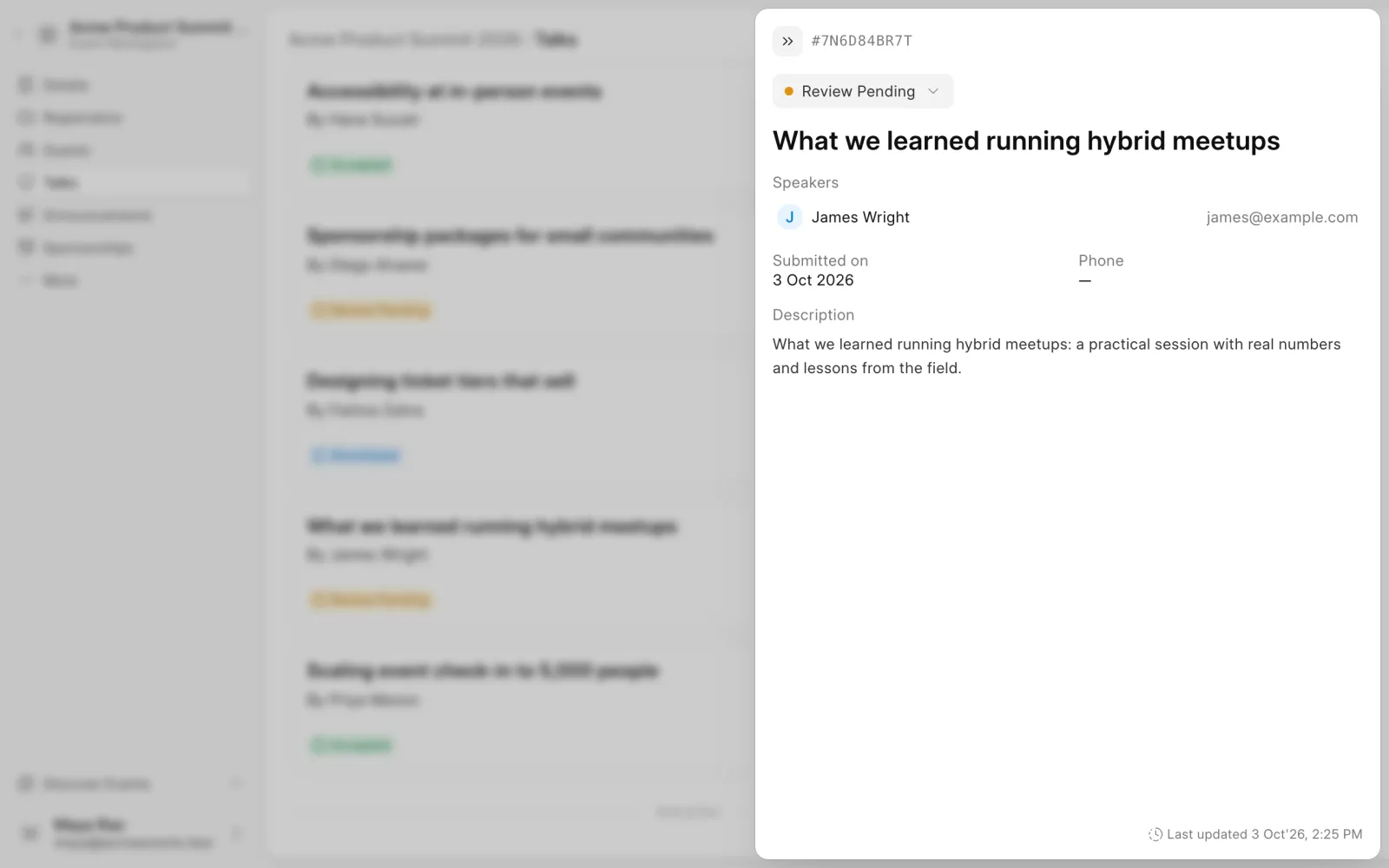
Click a proposal to read its description, speakers, phone number and submission date.
Change a proposal's status
- Open the proposal.
- Pick a new Review status at the top, for example from Review Pending to Accepted.
- Click Update.
Add a speaker to a proposal
- Open the proposal and click Add speaker.
- Enter the speaker's First name, Last name and Email.
- Click Add speaker.
Export proposals
Under Quick actions, click Download CSV to download the proposals in the current view.
To email speakers, use Announcements.
Last updated 1 week ago
Was this helpful?