


.webp)
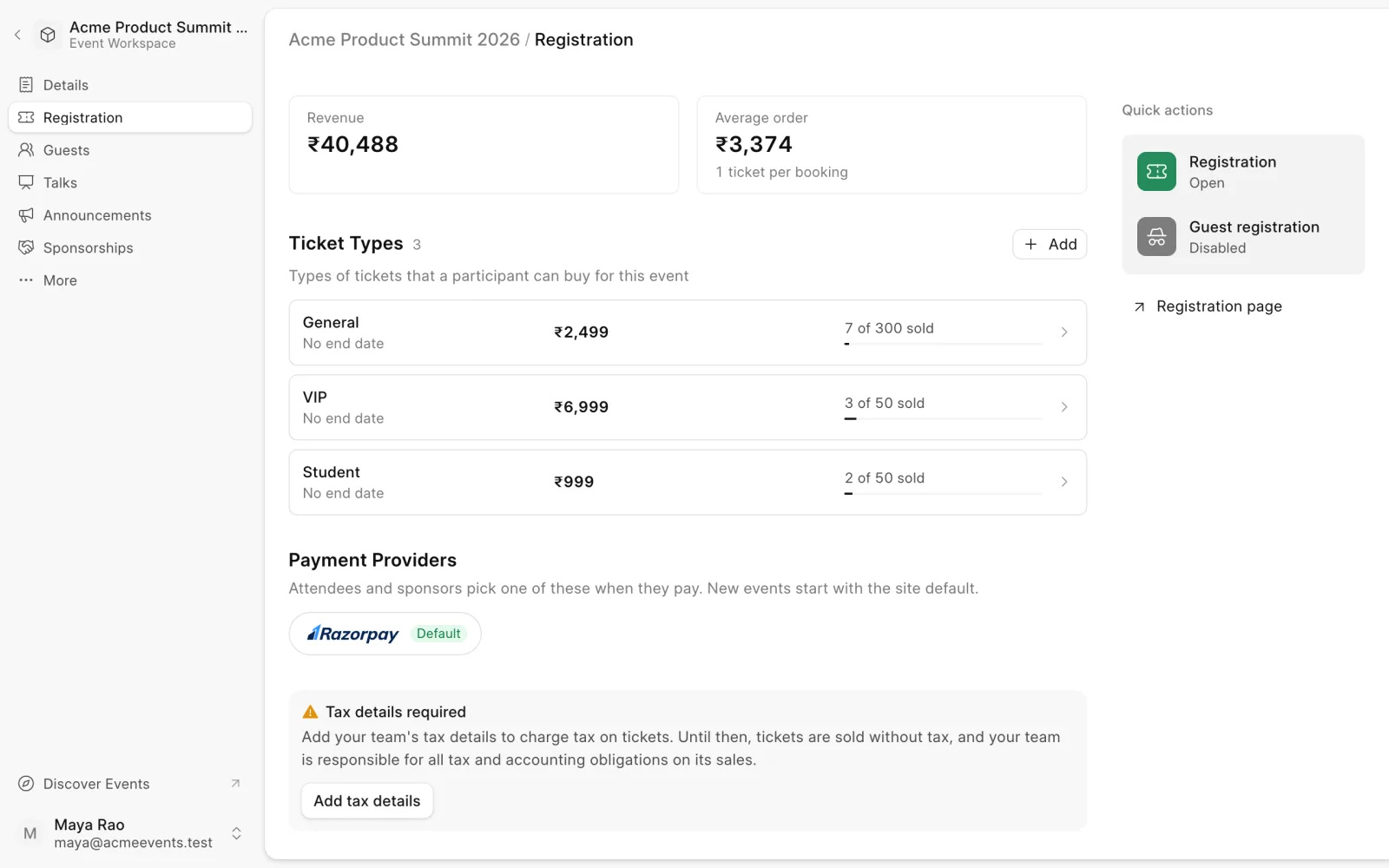
Ticket types are what people choose when they register, such as Early Bird, General or VIP. You set them up on the event's Registration page.
Add a ticket type
- Open the event and choose Registration in the sidebar.
- Next to Ticket Types, click Add.
- Enter a Title, a Price and its Currency. Leave the price at 0 for a free ticket.
- Click Add.
Every new event starts with a free ticket type called Normal. Edit it, or disable it if you don't need it.
Edit a ticket type
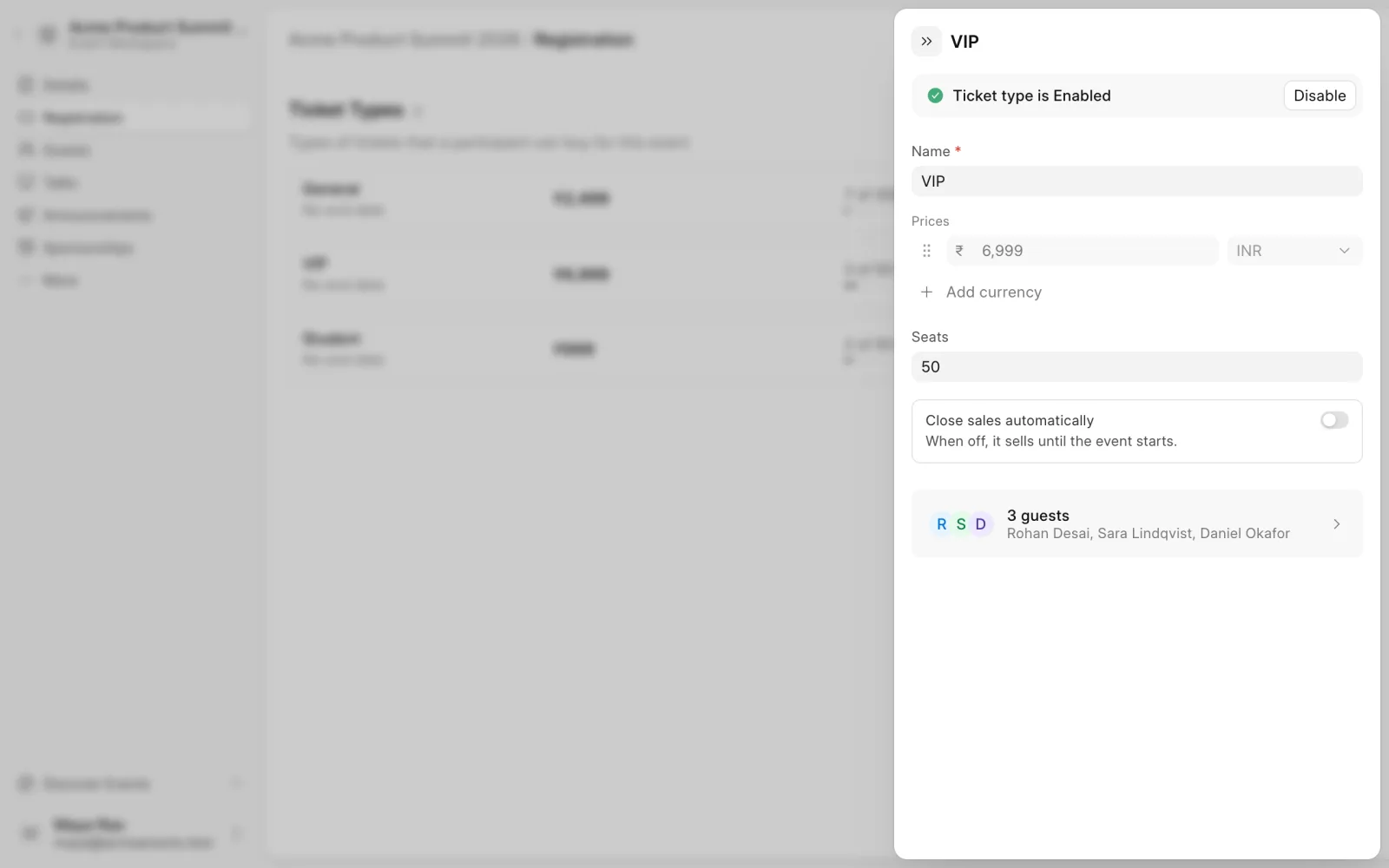
Click a ticket type to open it:
- Name. What attendees see.
- Prices. Click Add currency to sell the same ticket in more than one currency, for example INR and USD.
- Seats. How many tickets can be sold. Leave it empty for no limit.
- Close sales automatically. Turn on and set Auto Unpublish On to stop selling the ticket after a date. This is useful for early-bird pricing. When off, it sells until the event starts.
- Disable. Stop offering the ticket type. Click Enable to offer it again.
The bottom of the panel lists the guests holding this ticket type.
After setup
Open registrations when your ticket types are ready. The guest list and announcements can then filter by ticket type.
Last updated 1 week ago
Was this helpful?