


.webp)
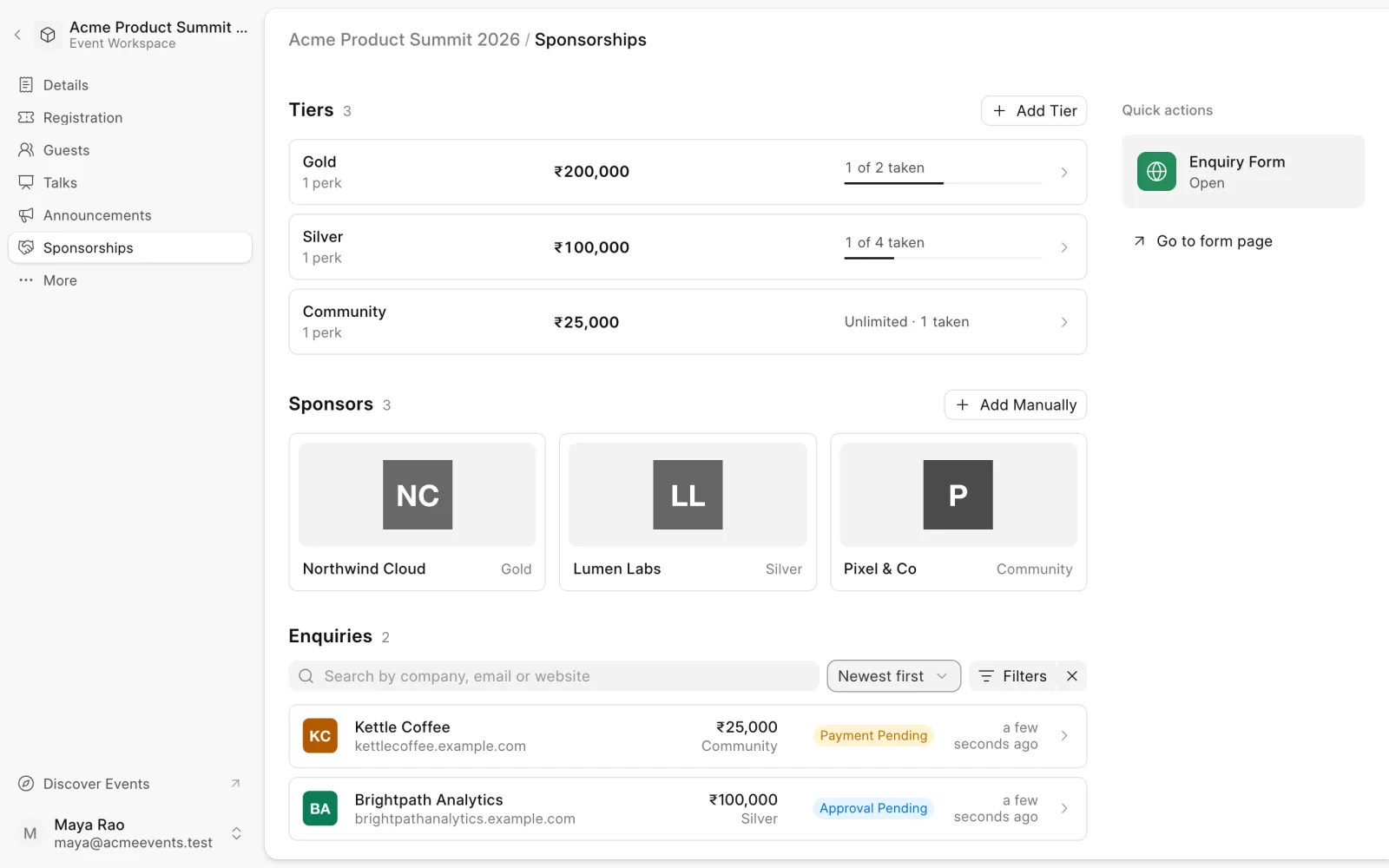
The Sponsorships page manages sponsorship packages, the companies that sponsor you, and the enquiries that come in. Open an event and choose Sponsorships in the sidebar.
Set up tiers
Tiers are the sponsorship packages applicants choose from, such as Gold, Silver and Bronze.
- Under Tiers, click Add Tier.
- Enter a Title, a Price and its Currency.
- Click Add.
Every new event starts with a free tier called Normal. Edit it, or turn it off if you don't need it.
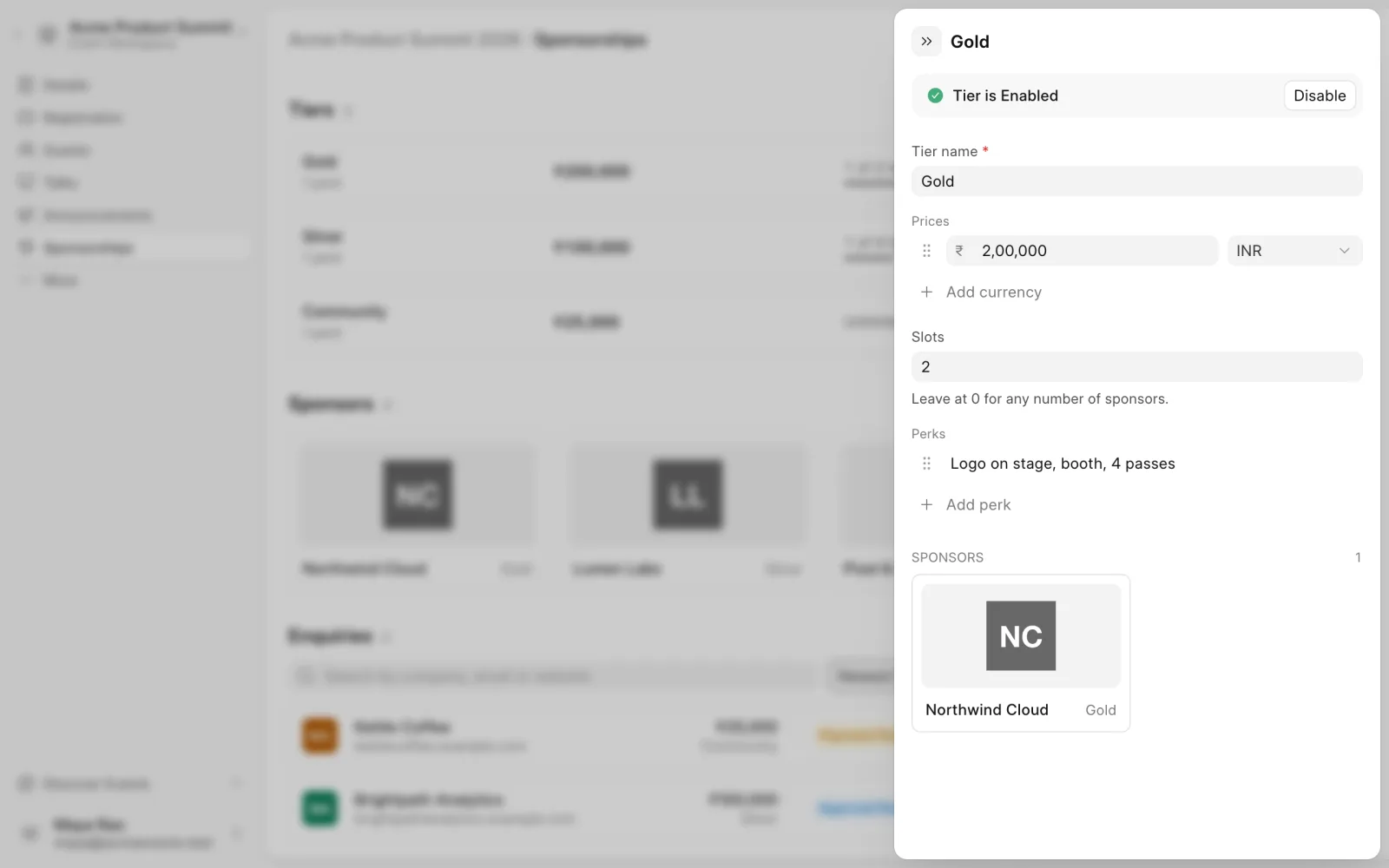
Click a tier to edit it further:
- Prices. A tier can have a price in more than one currency.
- Slots. The number of sponsors the tier can take. Leave it at 0 for no limit.
- Perks. What sponsors at this tier get.
- Enabled. Turn a tier off to stop offering it.
Applicants and existing enquiries see your changes.
Take enquiries
Companies apply through the sponsorship enquiry form. Under Quick actions:
- Click the Enquiry Form tile to Open enquiries or Close enquiries.
- Click Go to form page to see the form, or to copy its link.
Every enquiry shows up under Enquiries. Search by company, email or website, filter by Status, and sort by newest or oldest.
Review an enquiry
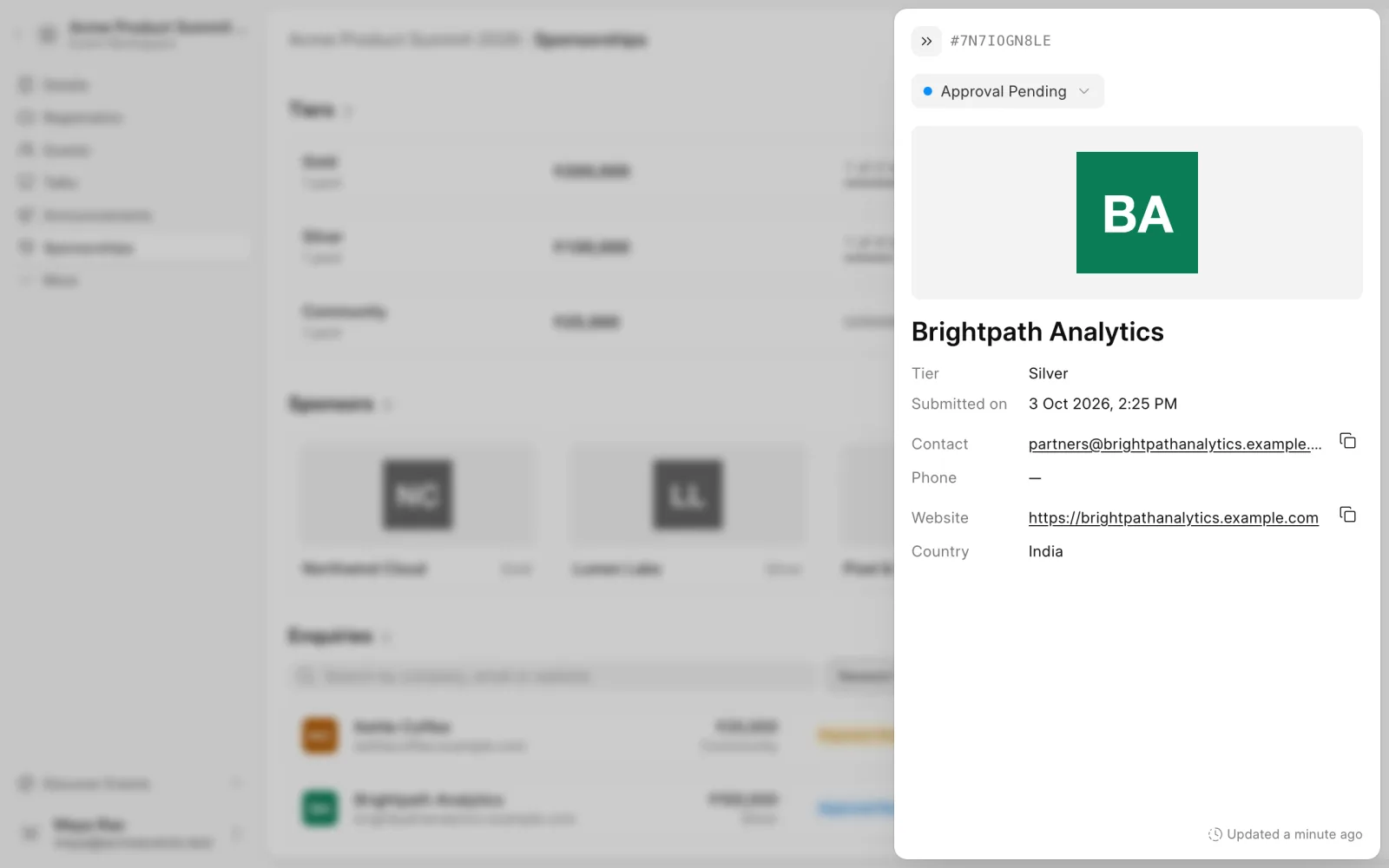
Open an enquiry to see the company's contact, website, country, phone and chosen tier. Pick a new Enquiry status at the top and click Update:
- Payment Pending. Approves the sponsorship. Buzz emails the applicant that payment is due.
- Paid. Marks the sponsorship as paid. This lists the company as a sponsor without taking a payment through Buzz.
- Cancelled. Closes the enquiry.
Moving an enquiry to Payment Pending asks you to confirm with Approve.
Enquiries start as Approval Pending. An applicant can also withdraw their own enquiry. Once an enquiry is Paid, Cancelled or Withdrawn, its status is final.
Sponsors
A company appears under Sponsors once it pays or your team confirms it. To add one directly:
- Under Sponsors, click Add Manually.
- Enter the Company name, Contact email and Tier, and upload their logo.
- Click Add.
Click a sponsor to edit their details or Remove Sponsor. The event page shows the updated details.