.webp)



Step 12: Add a palette command
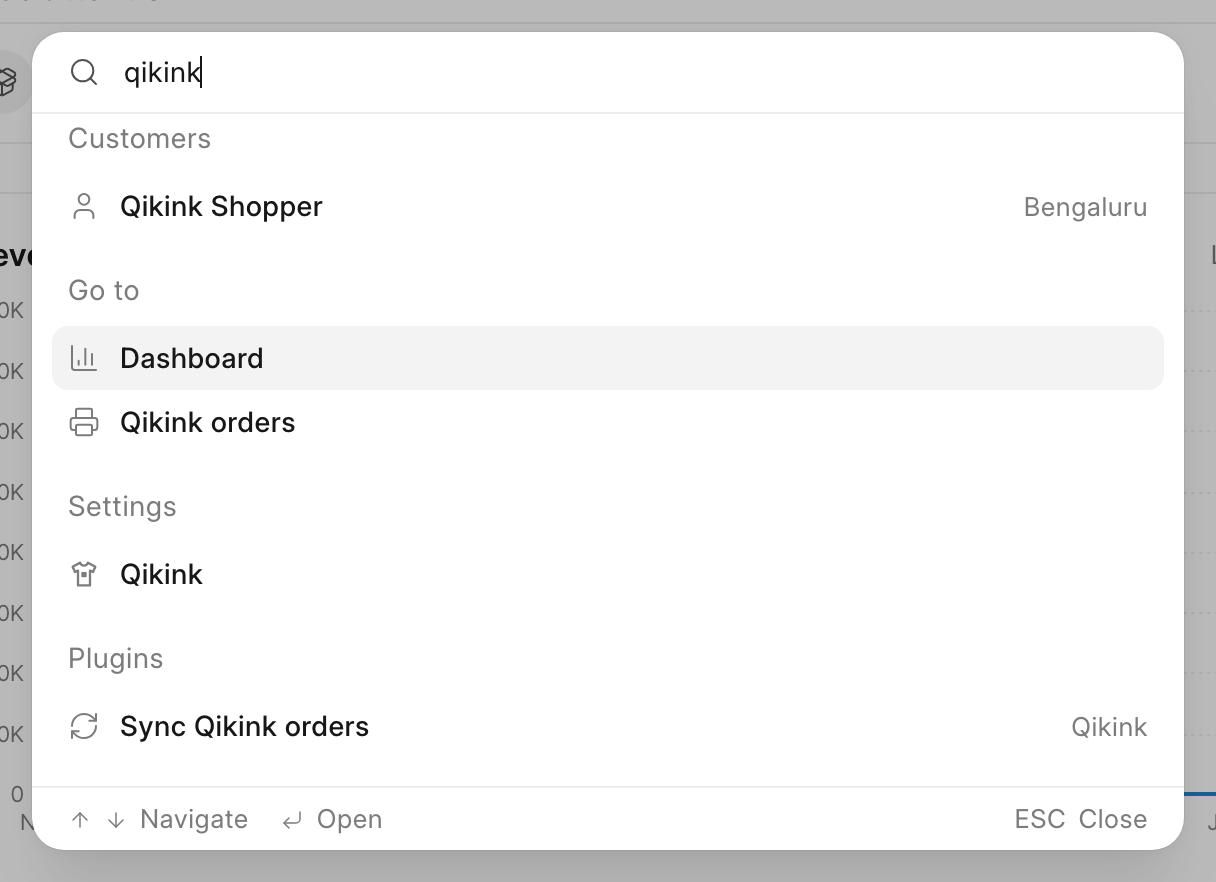
In this step, you add a Sync Qikink orders command to the search palette in /commera. Staff press Cmd+K (Ctrl+K on Windows and Linux), type "qikink", and run the status sync from any page.
Code for this step: feat: add a sync qikink orders command to the palette
What you'll build
commera/commands/sync-orders/index.vue, a row in the palette's Plugins group.
The command calls sync_open_orders in api.py, the same method as the Sync now button from Add a Qikink orders page. You write no Python in this step.
1. Add the command
In apps/commera_qikink, run bench commera add command sync-orders. Replace the commera/commands/sync-orders/index.vue it writes with this, and delete the sync_orders stub it adds to api.py: this command calls sync_open_orders.
<script>
export const plugin = {
	label: "Sync Qikink orders",
	icon: "refresh-cw",
	keywords: ["qikink", "print"],
	method: "commera_qikink.api.sync_open_orders",
};
</script>
keywords lists extra words that match the command. The plugin's title always matches, so "qikink" is there only for clarity.
2. Return the toast text
Commera calls method() with no arguments, because a command runs outside a record. When the method returns a string, Commera shows it in the success toast. For the other fields and rules, see Commands in the reference.
sync_open_orders returns "Updated {0} orders from Qikink", so the toast shows the count:
@frappe.whitelist(methods=["POST"])
def sync_open_orders() -> str:
	frappe.has_permission("Sales Order", "write", throw=True)
	return _("Updated {0} orders from Qikink").format(len(order_status.sync_open_orders()))
Check it works
- Run
bench build --app commera_qikink. - Reload
/commeraand press Cmd+K. - Type
qikink. The Go to group shows Qikink orders, and the Plugins group shows Sync Qikink orders with the suffix Qikink. - Click Sync Qikink orders. The palette closes, and a toast shows "Updated … orders from Qikink".