.webp)



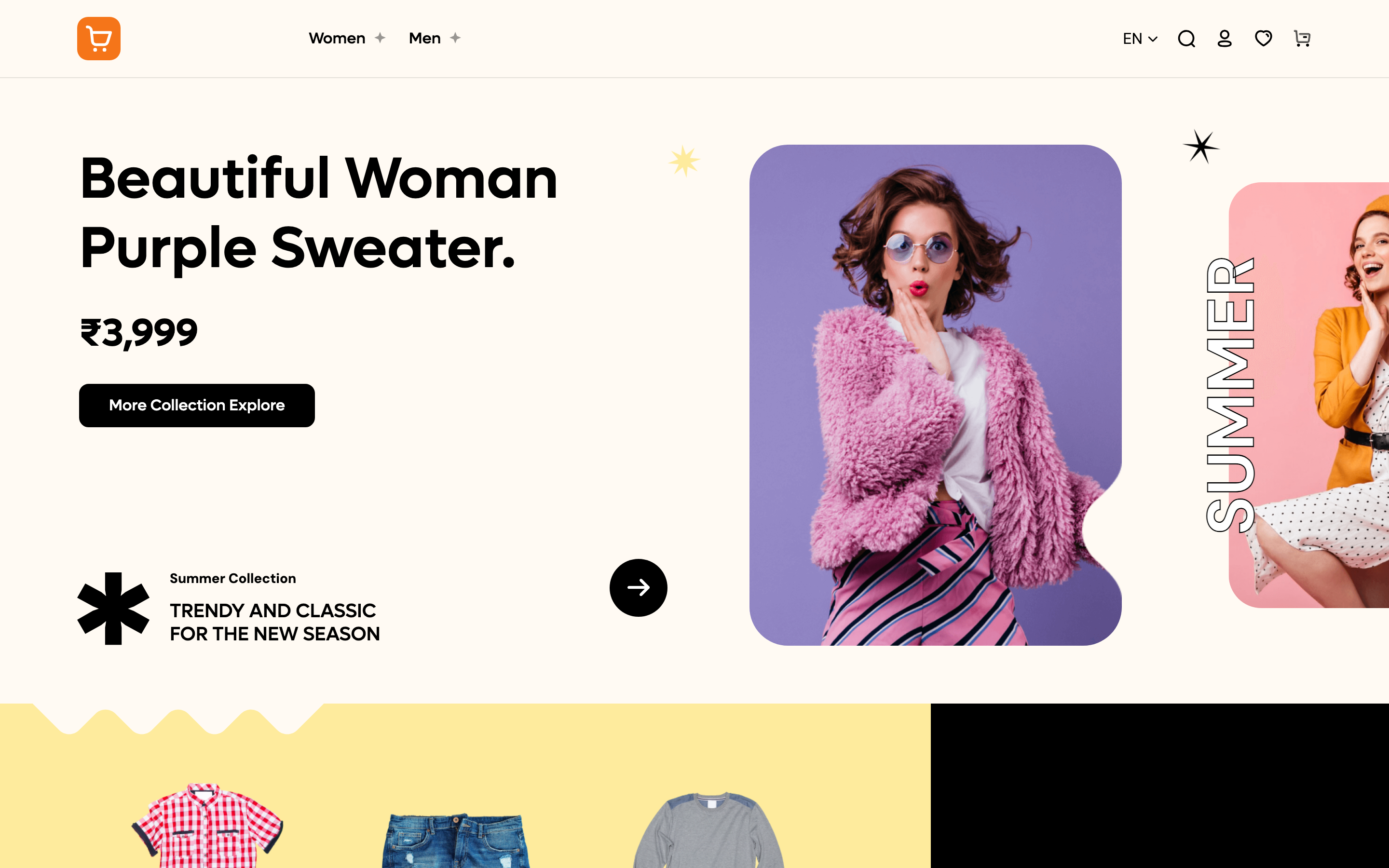
Choose a theme for your storefront and see it update with your own products.
Before you start
Finish Add your first product so the preview shows real products instead of placeholders.
Steps
-
In the sidebar, under Storefront, click Theme. You will land on the Theme page.
-
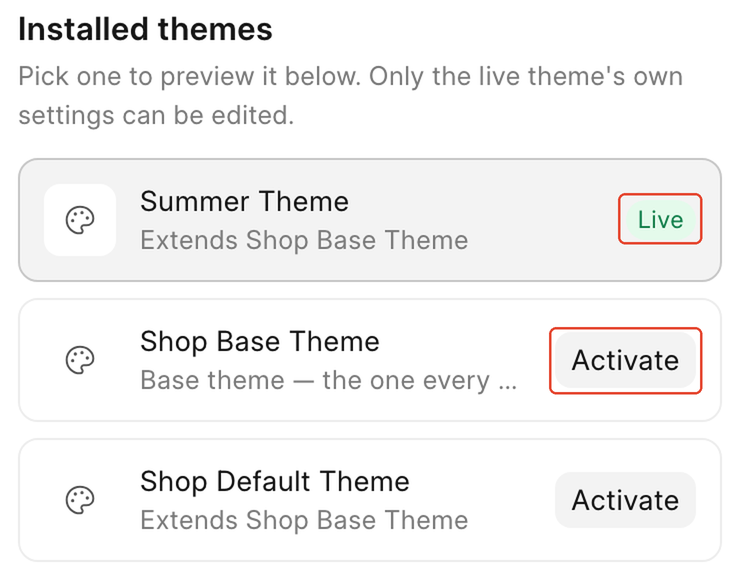
Installed themes lists every theme you have: the demo store ships with Summer Theme (badge Live), Shop Base Theme ("Base theme: the one every other theme builds on"), and Shop Default Theme. Click a theme's name to preview it. Nothing on your live storefront changes.
-
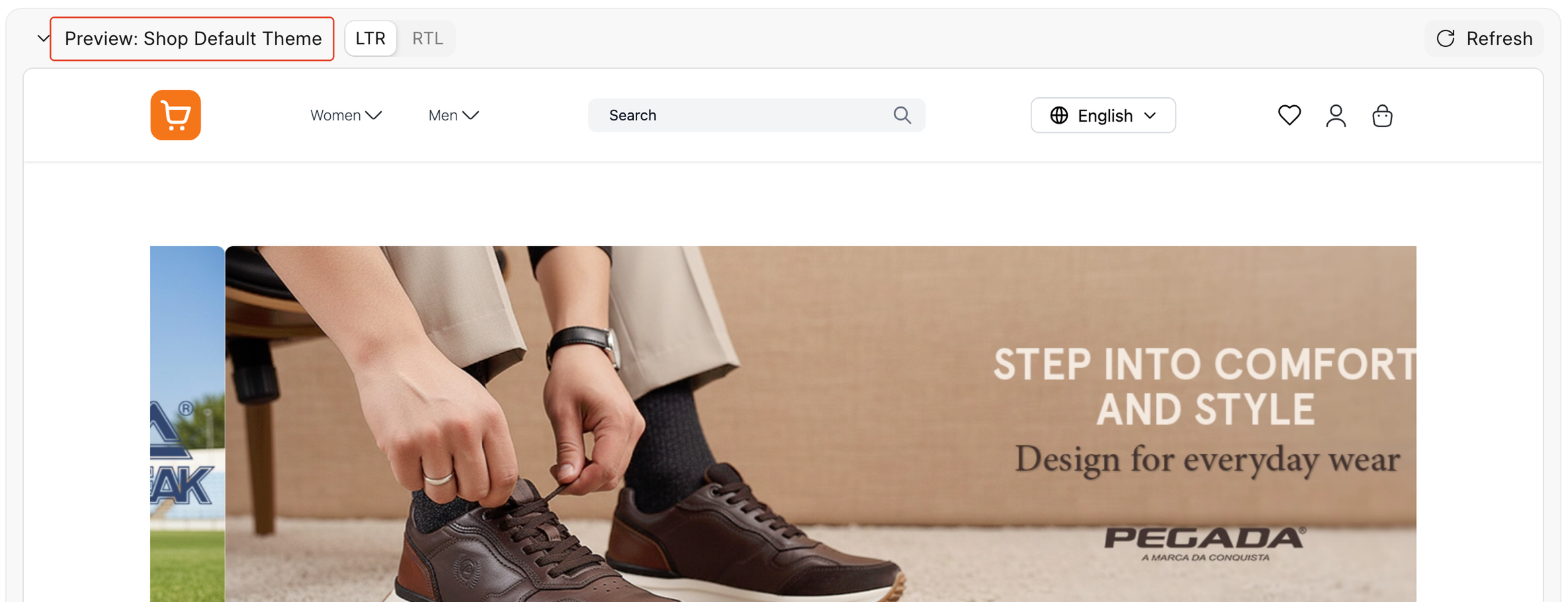
The preview pane at the bottom shows Preview: [theme name], with LTR / RTL toggles and a Refresh button, so you can check the theme before committing to it.
-
When you are ready, click Activate on the theme you want live.
-
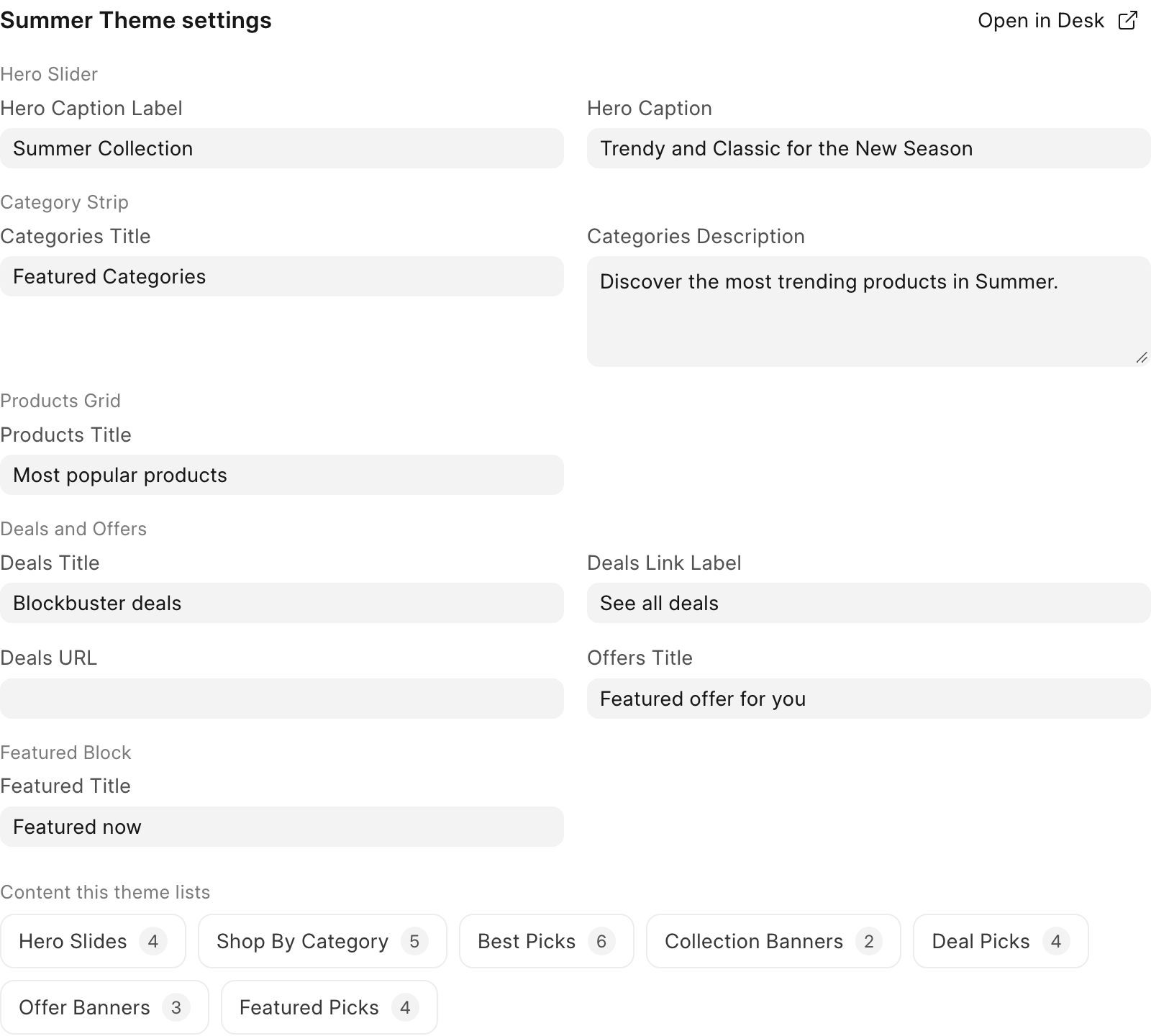
Once a theme is live, its own settings appear on the right under [Theme name] settings. The demo's Summer Theme groups its settings as Hero Slider, Category Strip, Products Grid, Deals and Offers, and Featured Block.
-
Change any field to update it. Each field saves on its own as soon as you edit it. There is no Save button.
-
Below the settings, Content this theme lists shows chips such as Hero Slides, Shop By Category, Best Picks, Collection Banners, Deal Picks, Offer Banners, and Featured Picks, so you can see at a glance how much content the theme is using.
-
The Layout section notes that header, footer and page content are covered in Storefront, with Edit navigation and Edit pages buttons to jump there. This Theme page only owns the live theme and the settings it ships with.
Check it worked
Open your storefront homepage. It shows the theme you activated, built from your own products and photos.