.webp)



Work through this checklist before you share your store with the world.
Store details
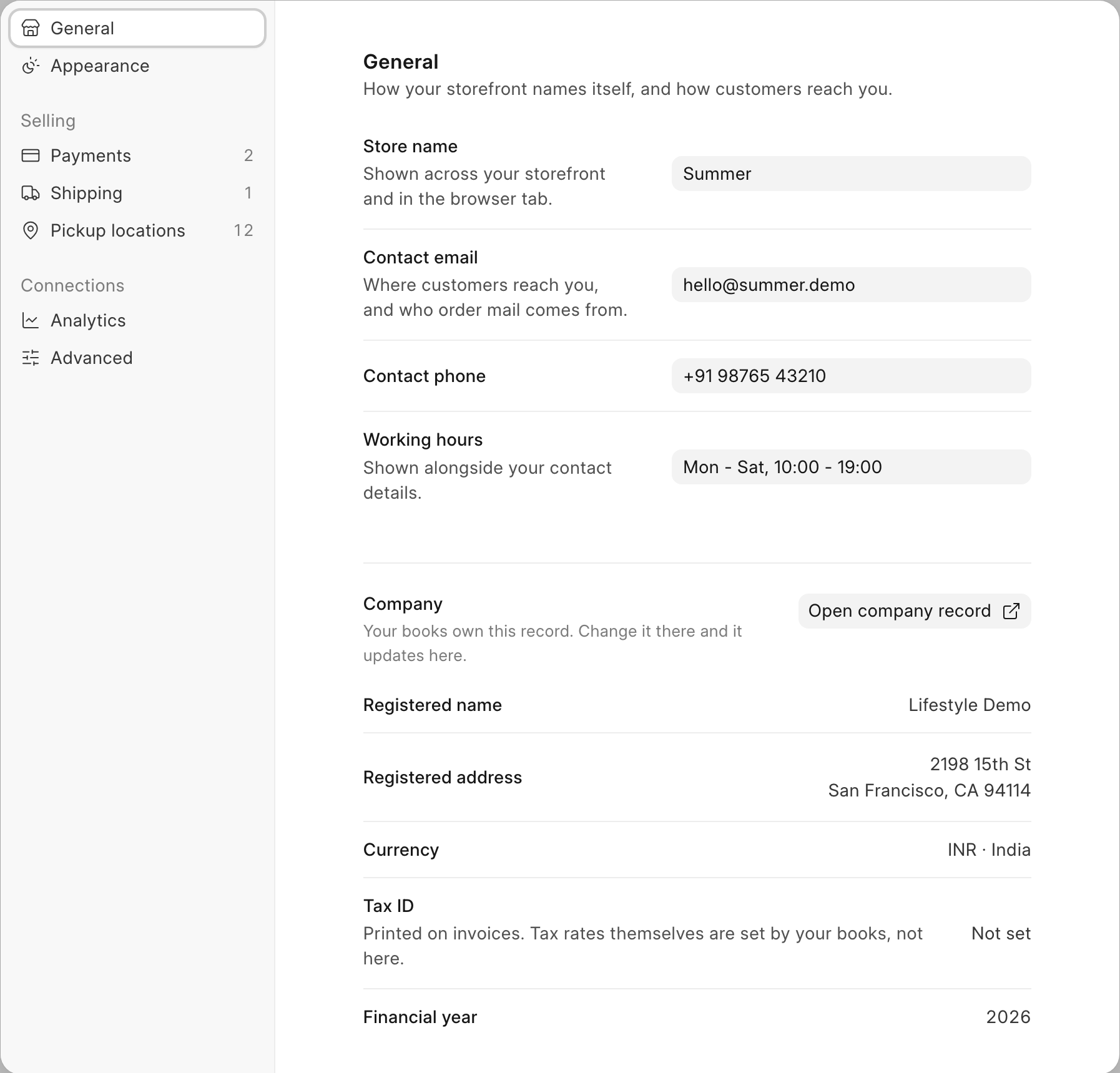
- Store name is set: shown across your storefront and in the browser tab.
- Contact email is set: where customers reach you, and who order mail comes from.
- Contact phone is set.
- Working hours are set. Shown alongside your contact details.
All four are on the General tab of Settings (account menu > Settings).
Pages shoppers expect
- Add an About us page.
- Add a Shipping page.
- Add a Returns page.
- Add a Privacy policy page.
- Add a Terms page.
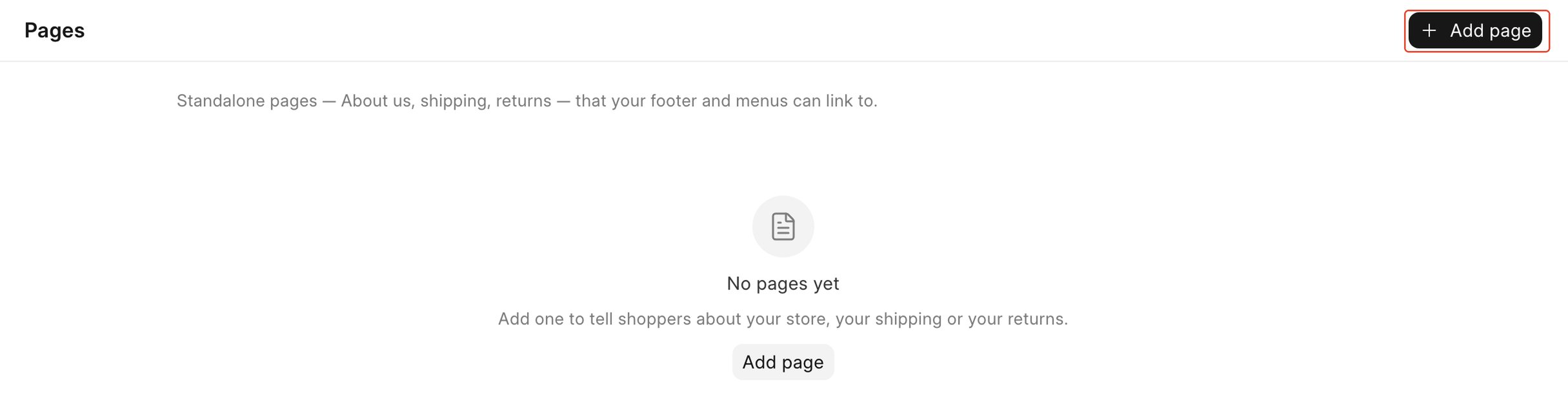
Your storefront footer already links to Privacy Policy, Returns and Terms & Conditions. Go to Storefront > Pages and click Add page for each one, or they will lead nowhere once a shopper clicks them.
Products
- Every product you want to sell has a photo.
- Every product you want to sell is published.
- Every product you want to sell has stock. On the product page, open the row's ⋯ menu in Variants and choose Receive stock.
See Add your first product if you still need to create one.
Payments and shipping
- At least one way to pay is turned on.
- At least one delivery option is turned on.
See Connect a payment gateway and Set up shipping.
Test
- You placed a test order and cancelled it.
See Place a test order.
Domain
- Your store is on your own domain.
Putting your store on your own domain is a hosting task. Ask your administrator.
What's next
Once every box above is ticked, your store is ready to share. The rest of this guide goes deeper on products, orders, the storefront and settings, one area at a time.
Last updated 3 weeks ago
Was this helpful?