.webp)



Step 1: Create the app
In this step, you create the commera_qikink Frappe app and make it a Commera plugin. At the end, the plugin has a starter page in /commera.
Commits: feat: Initialize App and set up the Commera dashboard in the app.
What you'll build
- The
commera_qikinkFrappe app, installed on your site. - Commera's dashboard build in the app, from
bench commera init. - A starter page with a Qikink row in the
/commerasidebar.
1. Create a Frappe app
-
Go to your bench directory.
-
Run
bench new-app:bench new-app commera_qikink -
At App Title, type
Qikink. -
Answer the other prompts: description, publisher, email, license, the GitHub workflow and the branch name.
bench new-app makes the app, installs it in the bench environment and commits the first files.
2. Add the Commera dashboard build
Go into the app's folder and run bench commera init. It makes the app whose folder you are in a Commera plugin:
cd apps/commera_qikink
bench commera init
The command prints each file that it writes, runs yarn install in the app, and ends with the next step: run yarn dev in apps/commera/dashboard, then open /commera on port 8080. A dev server that is already running picks up the new plugin by itself. It makes these changes:
| File | What it is |
|---|---|
commera_qikink/hooks.py |
Gets required_apps = ["commera"], commera_api_version = [1] and commera_plugin_title, the name Commera shows for your plugin |
package.json |
The build and dev scripts, and the Commera plugin kit, @commera/plugin-kit |
.gitignore |
Gets node_modules and commera_qikink/public/commera/, the build output |
commera/vite.config.js |
The build configuration |
commera/pages/commera-qikink/index.vue |
A starter page |
commera_qikink/api.py |
get_summary, the method that the starter page reads |
commera/README.md |
The placement folders and the rules for each file |
commera/order/cards/, commera/product/actions/ and the other placement folders |
Empty folders, one for each place on the dashboard |
The folder that holds an index.vue decides where it shows in /commera. The starter page shows how this works:
<script>
export const plugin = { label: 'Qikink', icon: 'sparkles' }
</script>
This first <script> block tells Commera the label and the icon of the sidebar row. Its values must be literals. The full rules are in Dashboard entries.
3. Install the app on your site
bench commera init does not install the app on a site. Install it, then build it:
bench --site your.site install-app commera_qikink
bench build --app commera_qikink
While you work on the Vue files, run yarn dev in apps/commera/dashboard, and open /commera on port 8080 with your site's host name, for example http://your.site:8080/commera. Each time that you save a file, the page changes without a reload. Your plugin has no yarn dev of its own.
Check it works
- Open
/commeraand reload the page. - In the sidebar, find Qikink under Plugins.
- Click Qikink. The starter page opens at
/commera/plugins/commera_qikink/commera-qikink. It shows "Your awesome plugin", or the count of today's store orders.
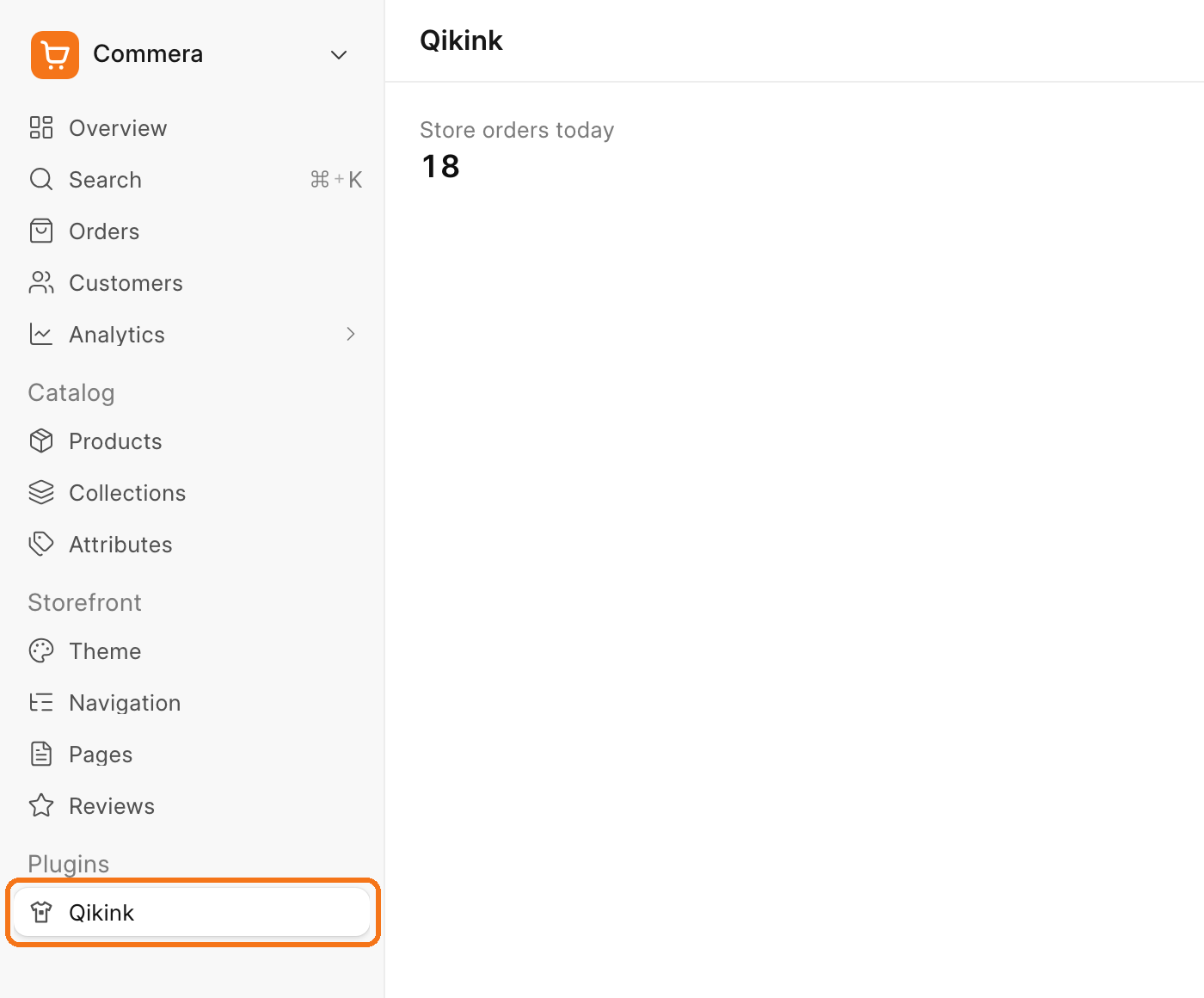
You replace this starter page with your own page of Qikink orders in step 11. Until then, keep it as a check that your plugin builds.
Next steps
- Step 2: Add settings
- Dashboard entries: every placement folder and its rules
- Compatibility: what
commera_api_versionmeans