.webp)



Connect a carrier and choose the delivery options shoppers see at checkout.
Before you start
Finish Welcome to Commera so you know your way around the dashboard. You do not need a payment gateway connected first.
Steps
-
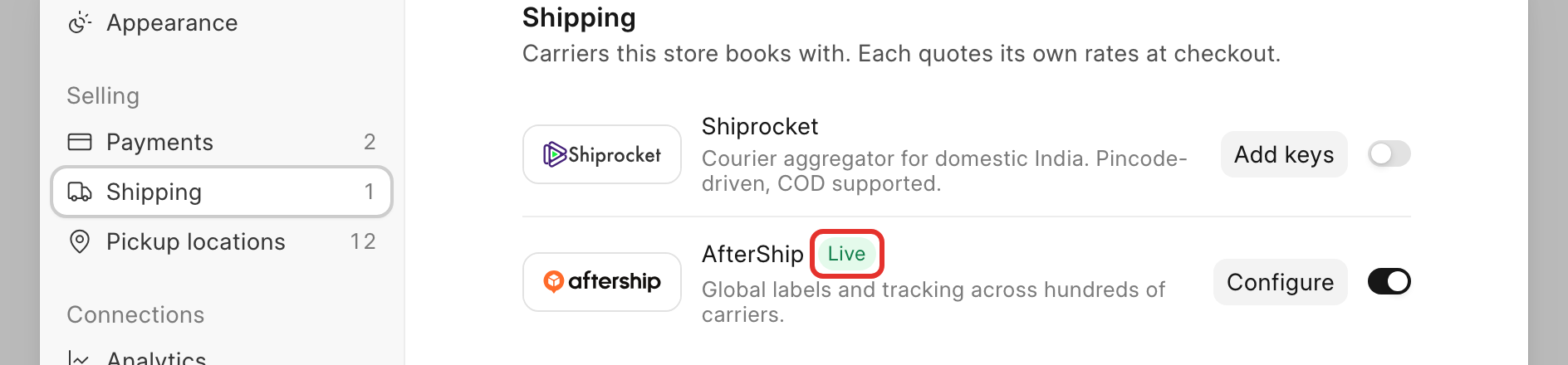
Open Settings, then go to Selling > Shipping. You will land on the Shipping panel: "Carriers this store books with. Each quotes its own rates at checkout."
-
Each carrier card has a logo, a short blurb, an on/off switch, and a button that reads Add keys or Configure. Turn on the switch for the carrier you want to book with, then click its Add keys (or Configure) button and fill in the keys the carrier asks for. See the BWH Shipping docs for where to find each carrier's keys.
-
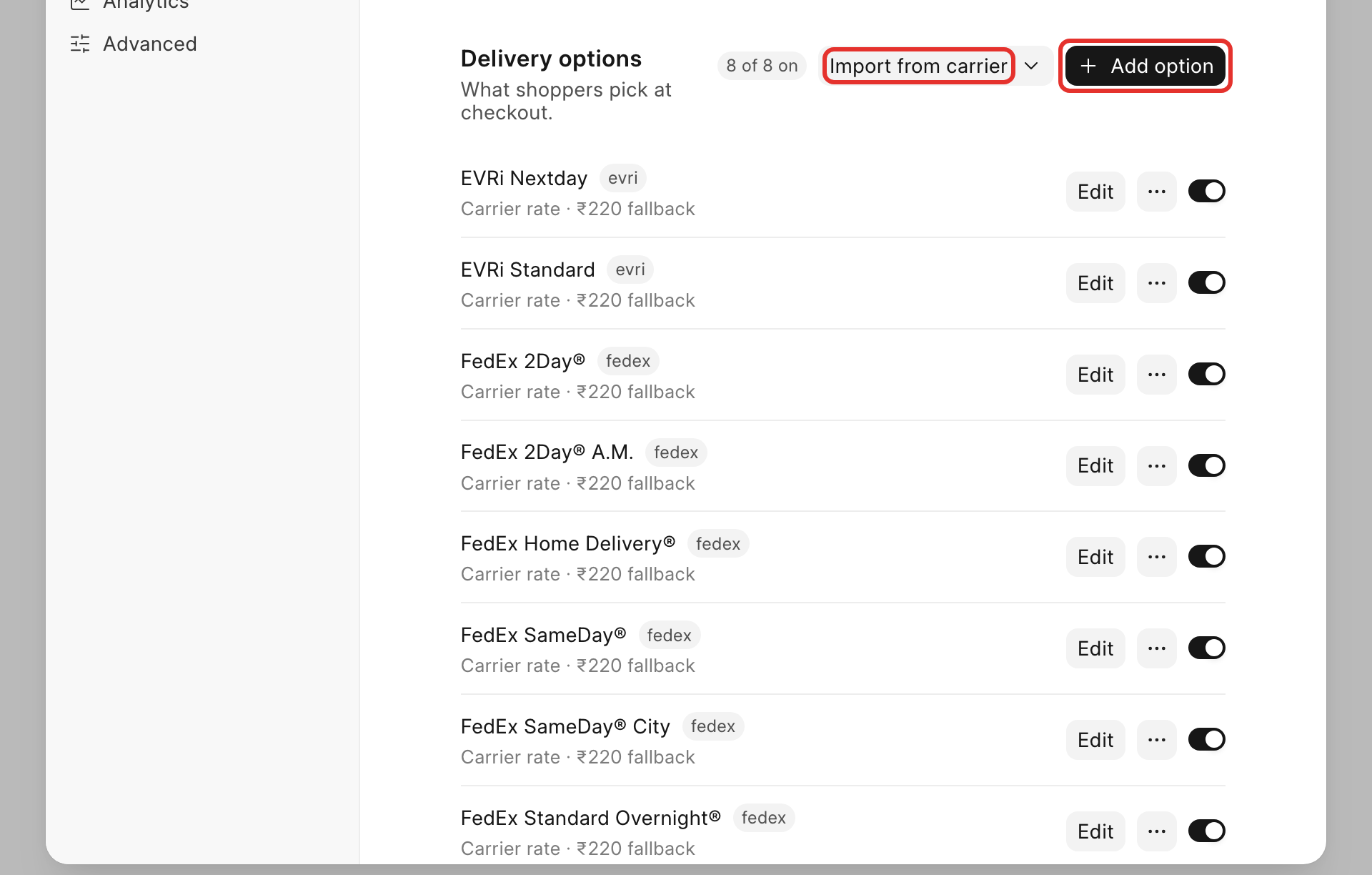
Scroll down to Delivery options: "What shoppers pick at checkout." This list is where you decide what shoppers actually see, and it works two ways: use the Import from carrier dropdown to pull in the delivery services a connected carrier already offers, or click + Add option to build your own.
-
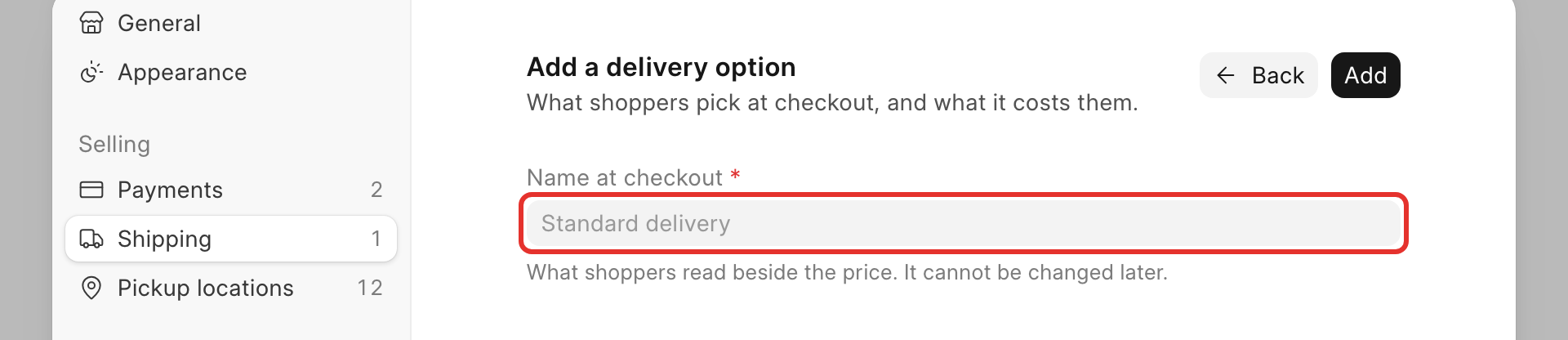
If you add your own, the Add a delivery option dialog opens: "What shoppers pick at checkout, and what it costs them." Fill in Name at checkout, an optional Description, the Provider (pick the carrier this option ships with, the one you connected above), and its pricing. Click Add.
-
Turn each option's toggle on or off to control whether shoppers see it at checkout. The header shows a running count, such as "8 of 8 on".
-
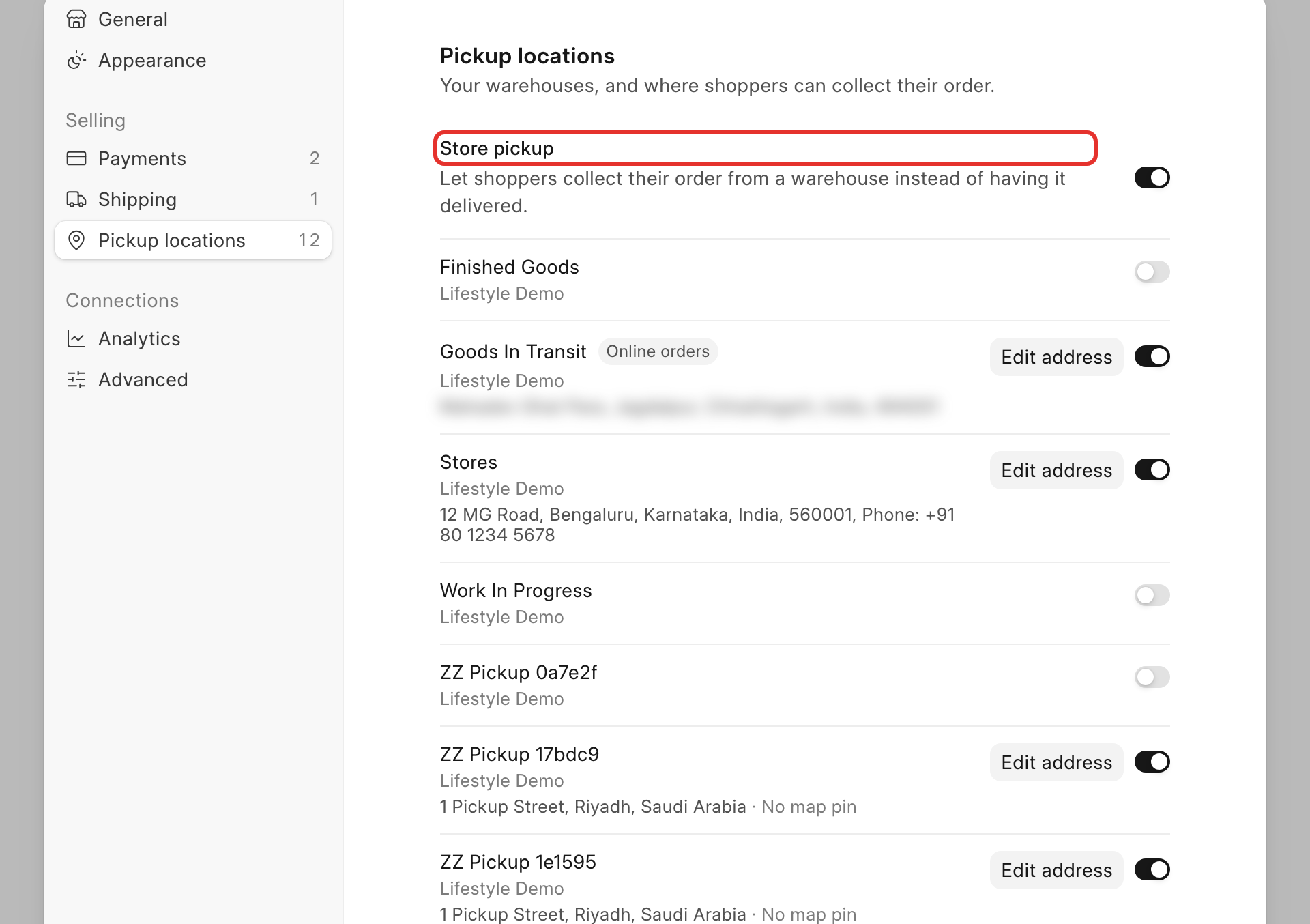
Optional: to offer store pickup, click the Pickup locations tab. Turn on Store pickup: "Let shoppers collect their order from a warehouse instead of having it delivered." Below it is a list of your warehouses, each with its own toggle.
-
A warehouse without an address shows Add address and the caption "Needs an address — hidden at checkout". Click Add address (or Edit address on a warehouse that already has one) to fill in the pickup address shoppers will see.
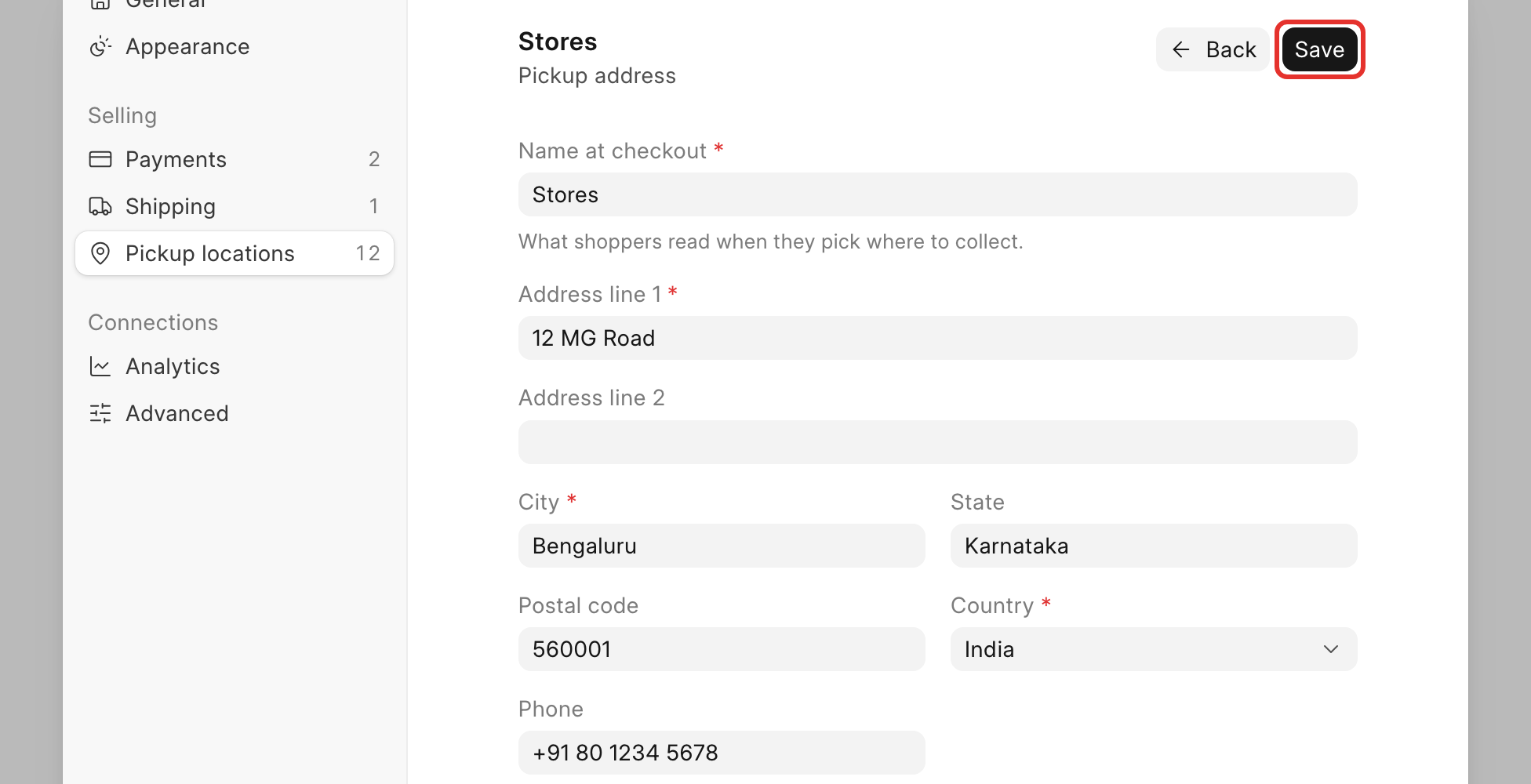
Click Save at the top of the panel.
Check it worked
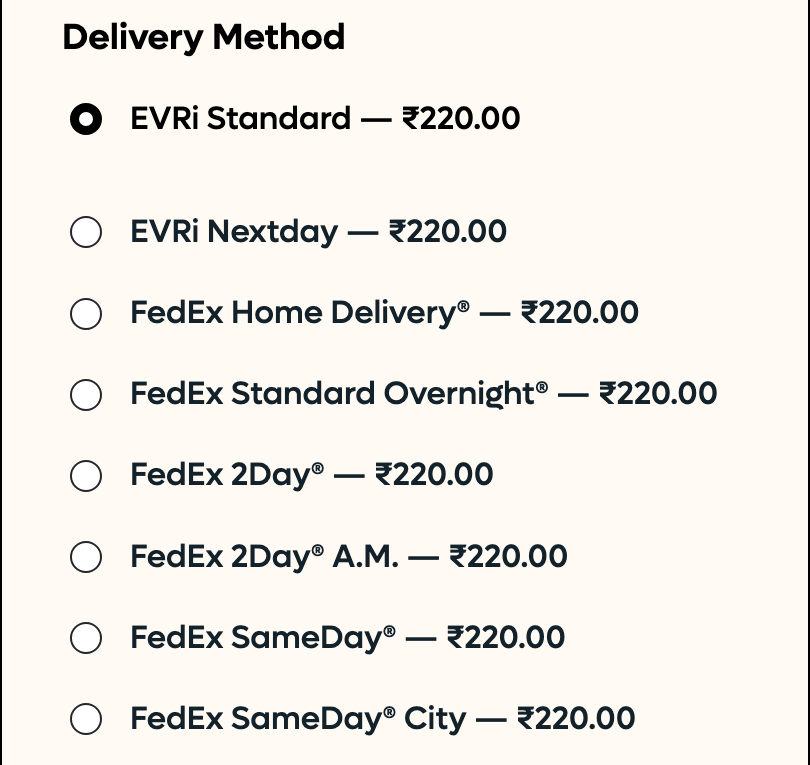
Back on the Delivery options list, the options you turned on show as switched on. At checkout, once a shopper saves their address, each option appears under Delivery Method with its price:
Try it yourself on Place a test order.