.webp)





Give shoppers money off with a code they type, or with a discount that applies by itself.
Meera runs a small tea shop on Commera. Diwali is coming and she wants to run a sale. First she looks at what kinds of discounts she can offer.
Before you start
Finish Add your first product and Connect a payment gateway, so shoppers can buy something.
The four kinds of discount
| Kind | What it does | Example |
|---|---|---|
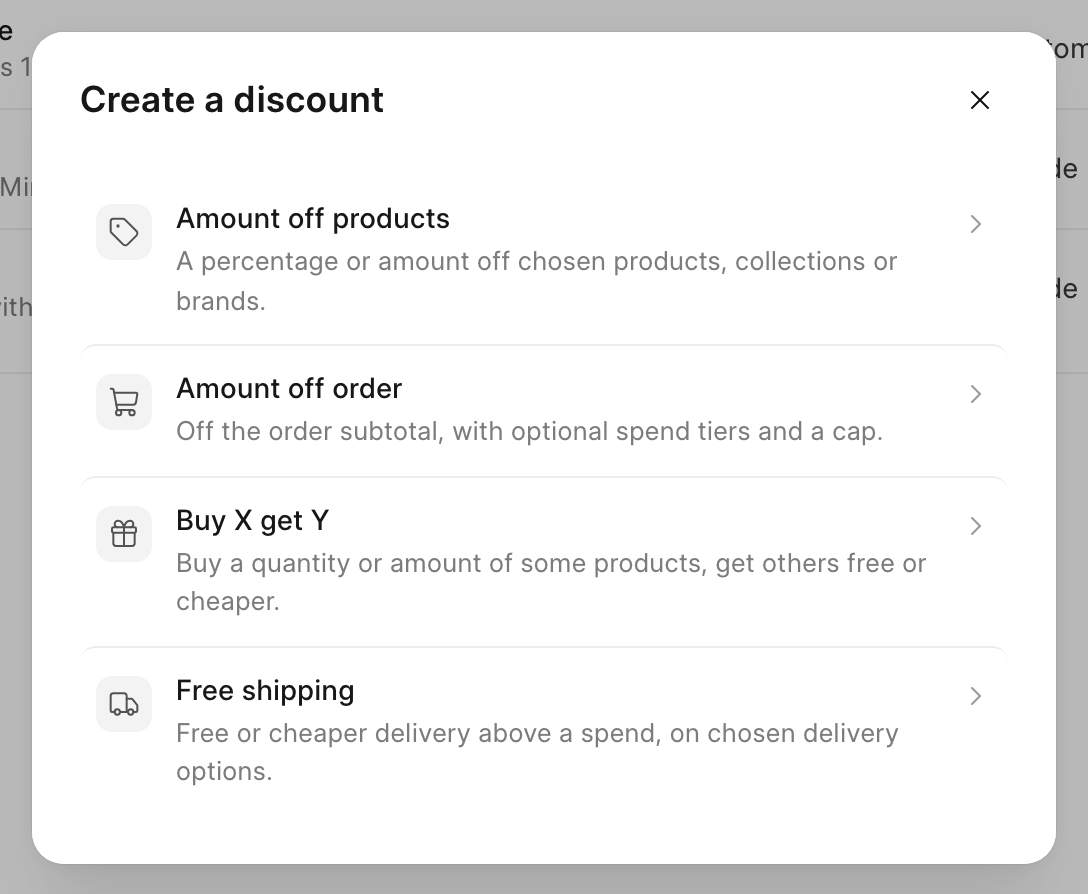
| Amount off products | A percentage or amount off chosen products, collections or brands. | 15% off all green teas |
| Amount off order | Money off the order subtotal, with optional spend tiers and a cap. | 10% off the order, up to ₹200 |
| Buy X get Y | Buy some products, get others free or cheaper. | Buy 2 teas, get tea bags free |
| Free shipping | Free or cheaper delivery above a spend. | Free delivery over ₹499 |
Code or automatic
Each discount works in one of two ways:
- Discount code: the shopper types a code, such as "DIWALI10", in the cart or at checkout.
- Automatic: the discount applies by itself when the cart meets its rules. The shopper sees its Title in the cart and at checkout.
Steps
-
In the sidebar, click Discounts. It is just below Customers.
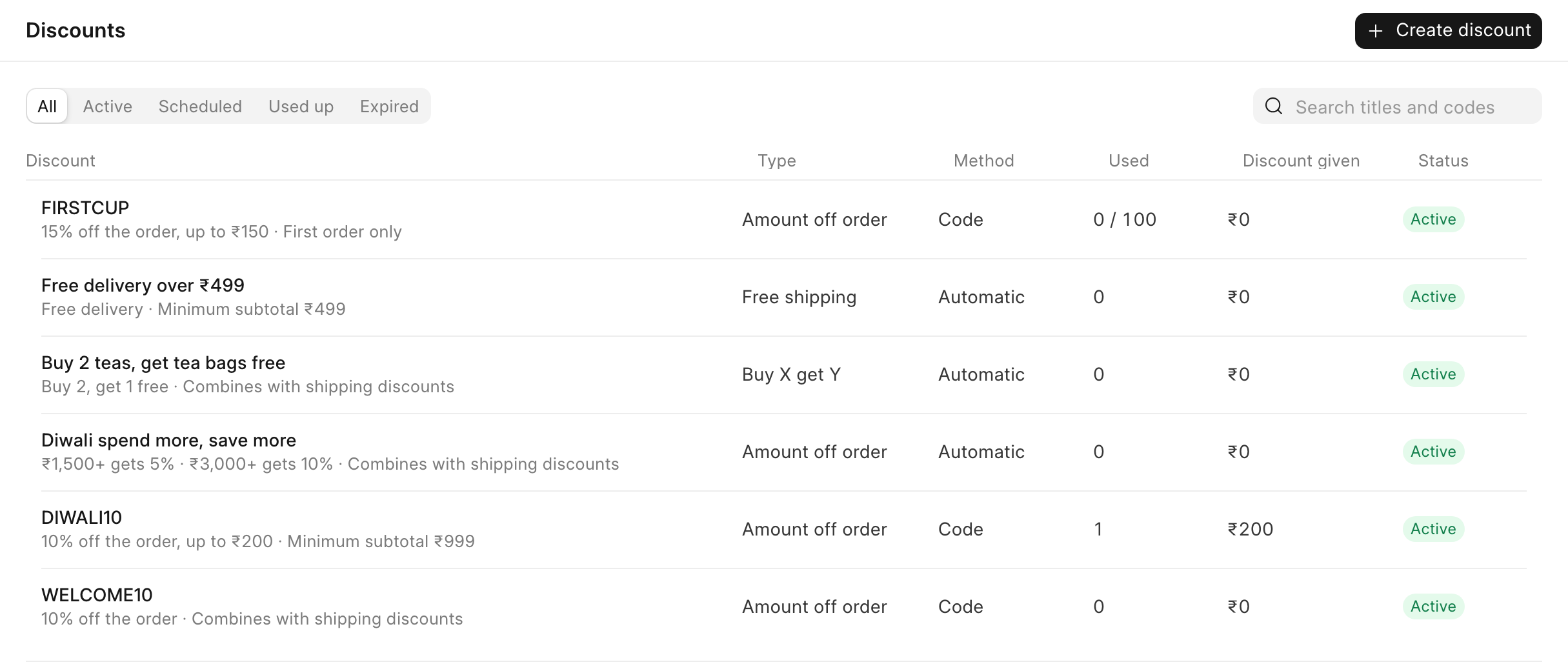
The list shows every discount with its Type, Method (Code or Automatic), how many times it was Used, the Discount given so far, and its Status.
-
Use the tabs above the list to filter it: All, Active, Scheduled, Used up and Expired. To find a discount, type in "Search titles and codes".
-
To make a new discount, click Create discount. Pick one of the four kinds.
Check it worked
After you click a type, the editor opens on the Setup tab. The other tabs are Conditions, Limits and dates and Reporting. The panel on the right shows the discount's rules in plain words.