.webp)





See how a discount is doing
See how many orders used a discount, how much it gave away, and which orders it touched.
The first Diwali orders are in. Meera wants to know if DIWALI10 is working, and how much it has cost her.
Before you start
You need at least one order that used a discount. See Place a test order.
Steps
-
Go to Discounts. The Used and Discount given columns show the totals for each discount.
-
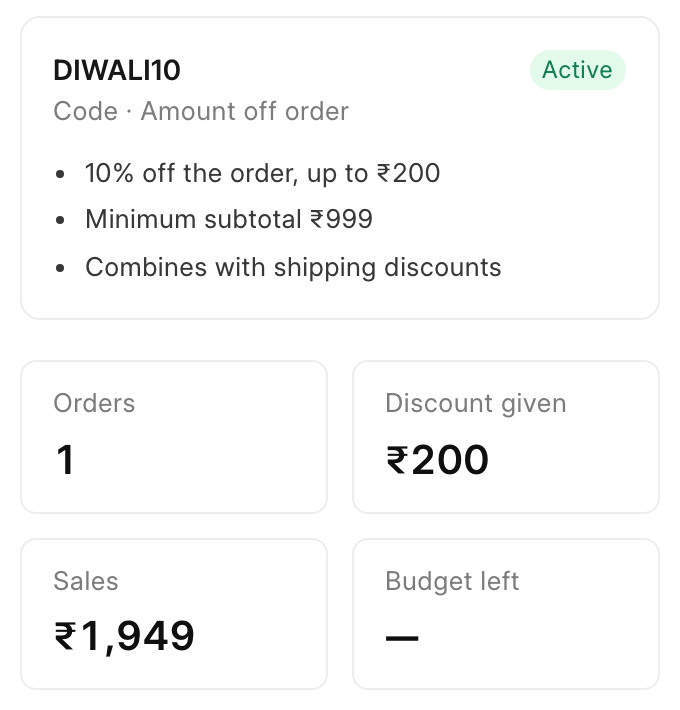
Click a discount to open it. The panel on the right shows four numbers:
- Orders: orders that used the discount.
- Discount given: the total money off.
- Sales: the total value of those orders.
- Budget left: what is left of the budget. It shows "—" when there is no budget.
-
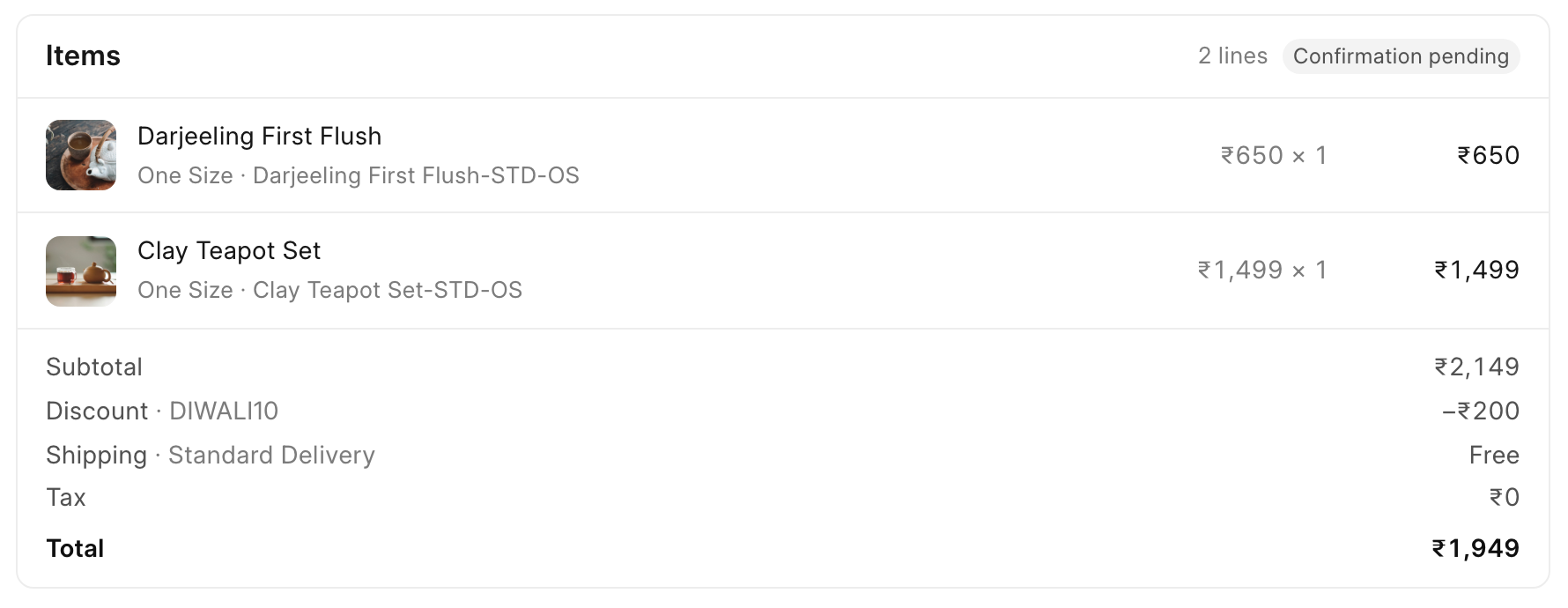
To see the discount on one order, go to Orders and open the order. Under Items, the totals show a "Discount" line with the code and the amount.
-
To see what one shopper has saved, go to Customers and open the customer. The Discounts used section lists each code, its order and the amount, with the total "saved all time".
Check it worked
The numbers on the discount match the orders. For Meera: 1 order, ₹200 given, ₹1,949 in sales.
Good to know
Next
Back to Discounts overview.